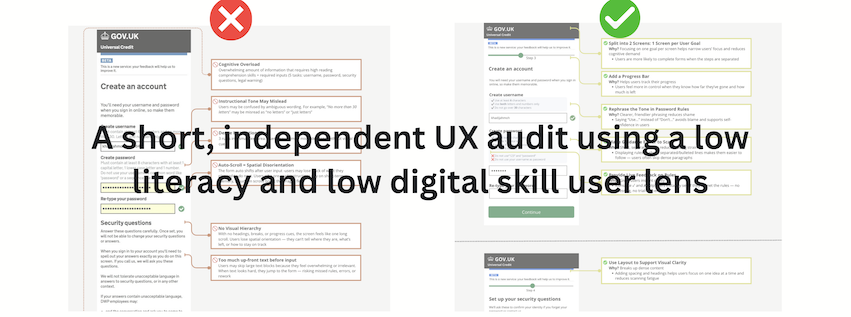
Universal Credit serves millions of people in the UK, many of whom face barriers using digital services confidently. These experiences are particularly common among older adults, people with additional support needs and those with low literacy or digital confidence.
As of 2021, 20-50% of UK adults did not yet have essential digital skills, and around 18% of adults in England had lower levels of literacy.
In 2019 (prior to the current Beta), nearly 50% of Universal Credit claimants found the online form difficult to complete, and 1 in 4 needed help, citing unclear guidance, confusion over required information, and limited support.
These challenges reflect patterns I’ve seen in fieldwork with users with functional low literacy — people with limited reading and digital skills who often rely on memory, guesswork, or assistance to complete tasks. Similar barriers affect users with dyslexia and varying cognitive styles.
The issue isn’t user failure — it’s design that doesn’t align with how all users think, read, or move through tasks.
I revisited the Universal Credit Beta journey through this lens to explore whether key barriers still remain. This mini audit highlights areas of friction in the mobile flow and offers small, actionable design ideas — including annotated mockups — to support a more inclusive and confident user experience.
Method
I conducted a cognitive walkthrough of the Universal Credit site on a smartphone browser, simulating the experience of a first-time applicant with limited reading skills and digital confidence— reflecting the type of user described earlier. This lens draws from real-world fieldwork with excluded groups, particularly those with functional low literacy.
Key Issues
This screen shows the current Universal Credit account creation and security setup flow on mobile. The annotations identify key usability breakdowns that may disproportionately affect users with low literacy or digital confidence. While each element may seem minor in isolation, together they create a disorienting and exclusionary experience.
Current Screen (as seen in Beta flow)
Identifies friction points that may create confusion for users with low literacy or digital confidence.

Design Suggestions
The screens below propose small design changes aimed at reducing exclusion risks for users with low literacy and limited digital skills. Each suggestion addresses a specific friction point identified earlier in the audit.
In my previous fieldwork with functionally excluded users, similar adaptations helped reduce task abandonment, lower error rates, and improve completion times. The goal here isn’t to overhaul the interface—but to show how simple shifts in language, layout, or guidance can build confidence and make the experience more accessible.
These ideas could be explored further through usability testing or lightweight A/B trials.
Suggested Redesign (proposed improvements)
Addresses the earlier issues with small, testable UI changes.
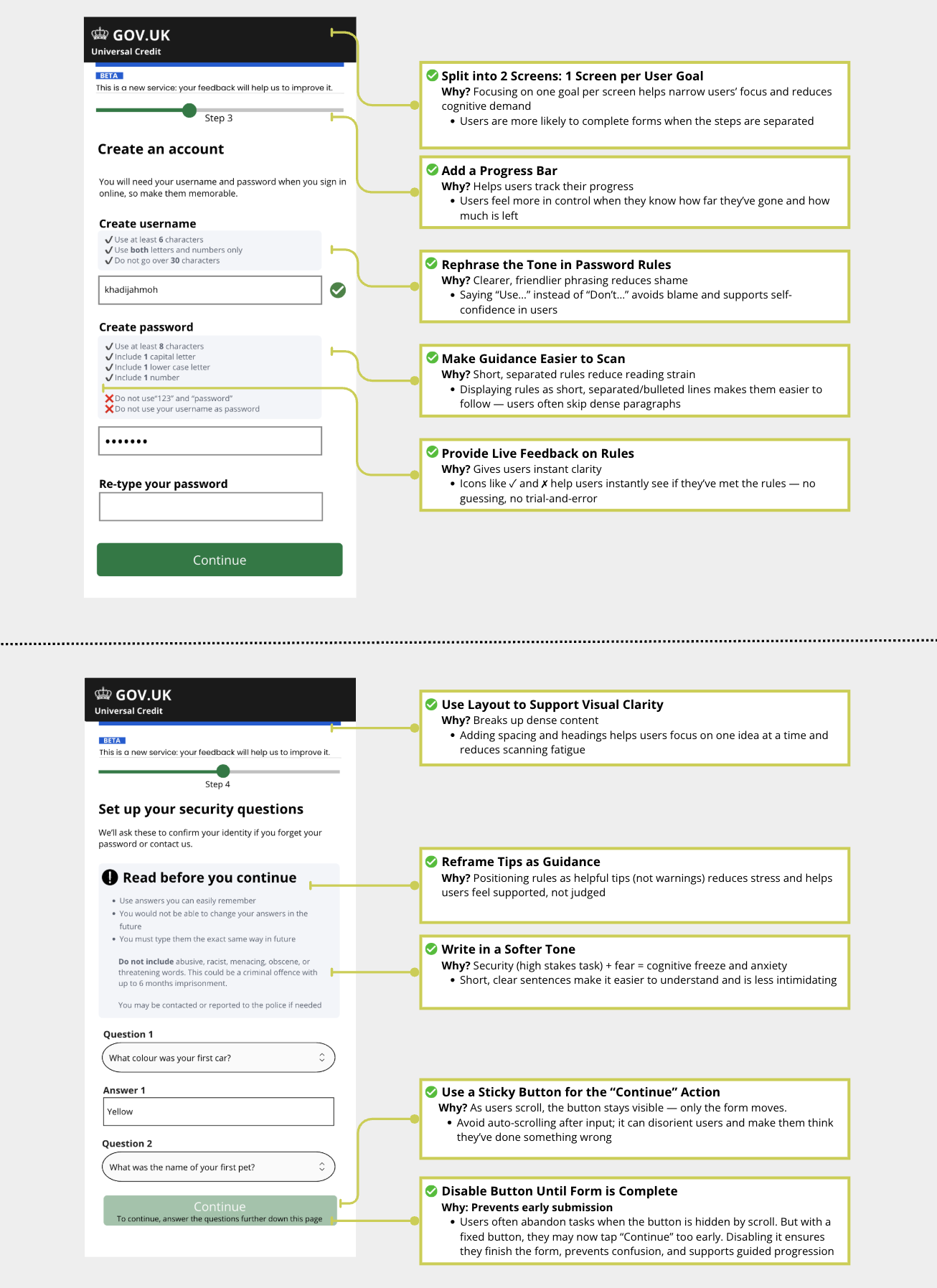
These designs were developed while considering GDS principles and are starting points that could be adapted further by other service teams tackling similar inclusion goals.
Why This Matters
In my previous fieldwork with excluded mobile users, even small interventions like softer tone or previewing steps significantly reduced abandonment and errors. Applying this lens to public digital services could meaningfully increase equity in benefit access.
Even small design shifts can make the difference between exclusion and independence.