This article is based on a real-world user experience design mistake from a mobile banking app – one that left users stuck before they even got started. To better understand the friction in what should’ve been a simple mobile money transfer task, I turned to the theory of mental models.
Now, don’t let the word “theory” scare you off. I promise it’s simple and yes, I’ll even make it fun with a familiar analogy.
Do you know how to drive a car?
Yes? Great, but do you know what actually happens when you turn on the ignition? Do you understand how fuel injection triggers combustion or how torque reaches the wheels?
If you said no, then you have a shallow mental model — just enough to operate the system.
If you said yes, you have a deep mental model — the kind engineers need.
Here’s the catch: the depth of your mental model only matters in relation to your role and your goal.
If you’re a driver just trying to get from point A to B, shallow is fine. But, if you’re building or fixing the car, deep is essential.
Now, let’s apply this to user experience design.
In my mobile banking study, most users — especially low-literate, novice smartphone users — had one simple goal:
“I want to send money.”
They weren’t thinking about processing channels, payment switches, or interbank architecture.
Yet, here’s what the app asked them as the very first step after they chose the Transfer option from the main menu (see app screenshots below):
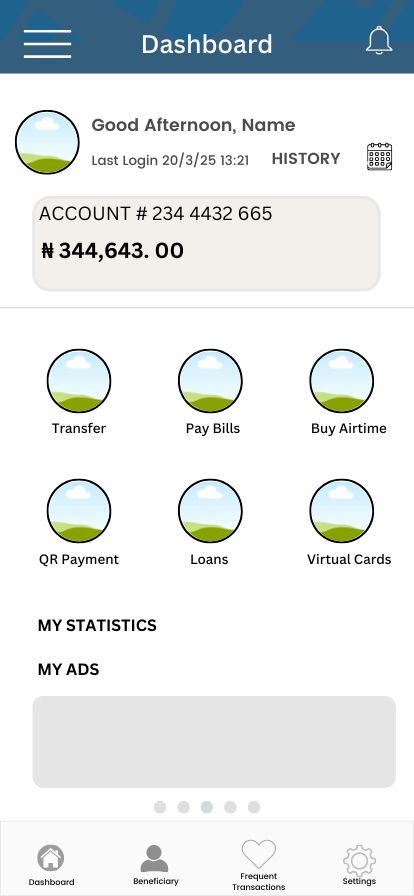
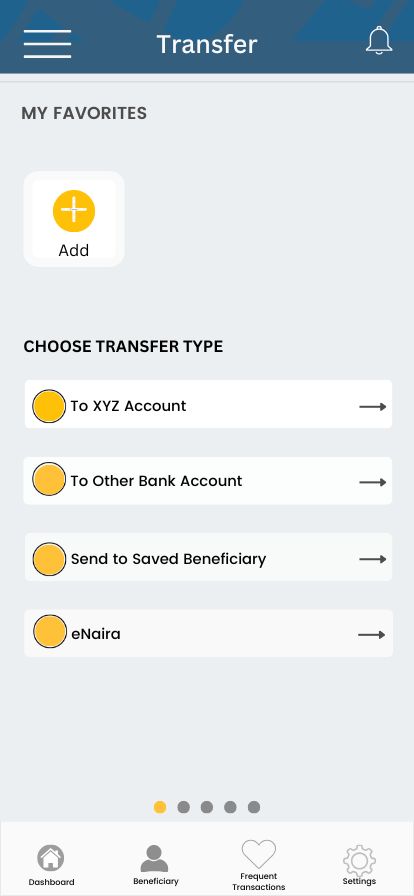
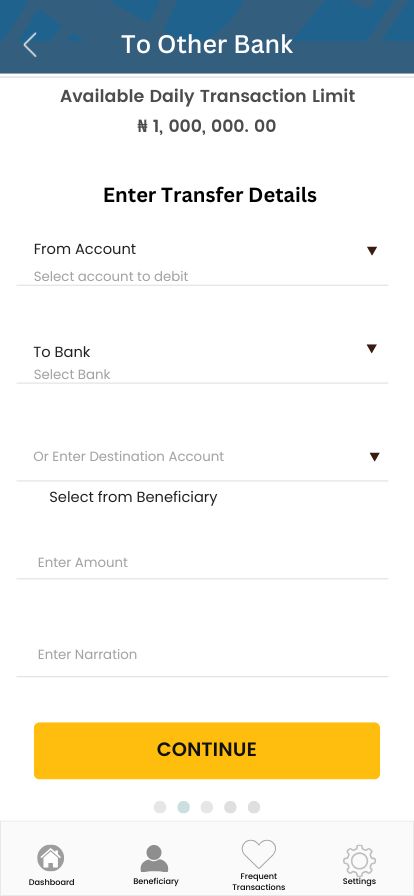

Original screen asking users to choose between same-bank and other-bank transfer options
This immediately broke their mental model. Instead of starting with a familiar action (like entering account details), they were forced to make a backend decision they didn’t understand.
“I’m not sure what this is asking me, so I’ll just choose the first option and see.” — Participant 4
For low-literate users, this kind of segmentation adds stress before they’ve even begun. It turns a familiar task into a guessing game.
But Isn’t That How the Backend Works?
Sure. From a system logic perspective, separating transfers this way makes sense. Different banks, different protocols. But that’s the bank’s business — not the user’s.
In user experience, we don’t design for backend logic, we design for mental models.
The user shouldn’t have to care whether it’s an interbank or intrabank transfer. They just want to send money. The app should figure out the processing details after the user enters who they’re sending to.
So What Should the Design Have Done?
Simple:
- Offer one button: “Transfer”
- Let the user enter recipient details (e.g., account number)
- Use that information to detect if it’s interbank or same-bank
- Only then surface any necessary messaging (e.g., fee differences)
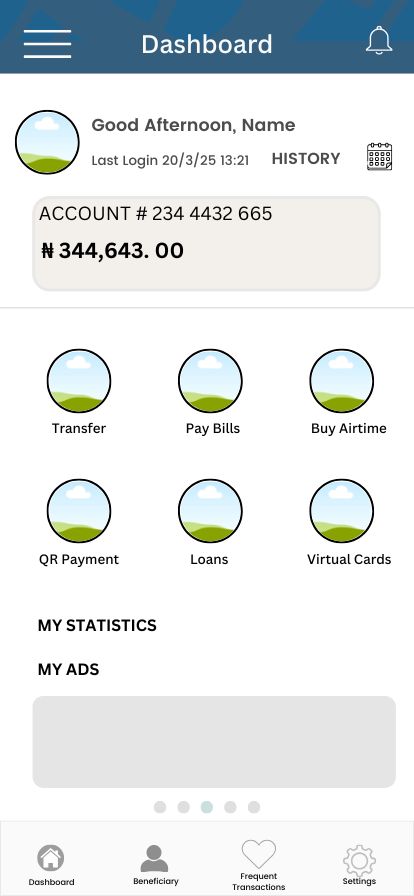
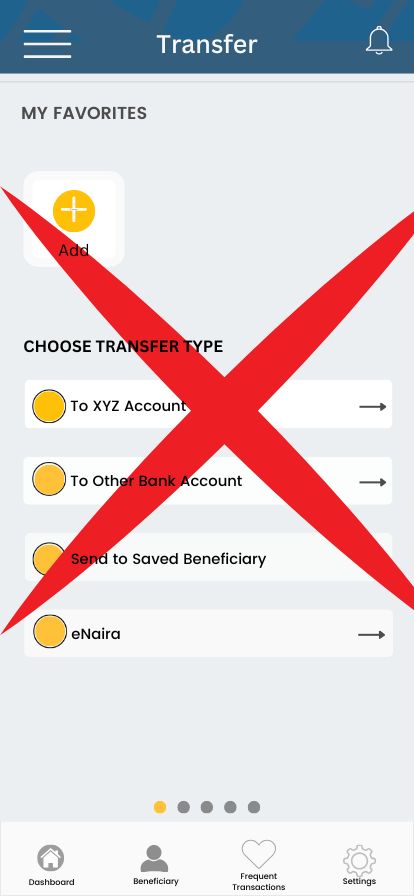
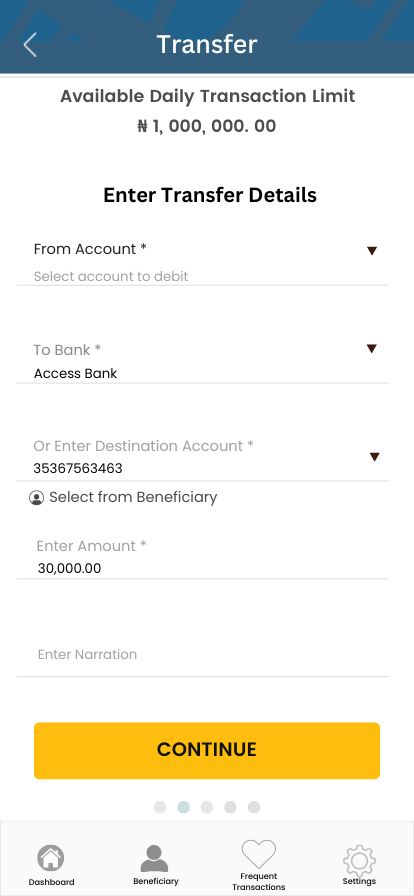

Eliminate the middle screen (marked red) because it forces users to choose a backend category (e.g., same-bank vs. other-bank) too early in the process.
The redesign eliminated this step entirely and led users directly to the transfer form. The system now detects the transfer type automatically “behind the scenes “ after recipient details are entered.
This matches how users think. It reduces decisions. It preserves trust and confidence.
The Lesson?
Before you launch your next feature, ask yourself:
- Who are your users?
- What are their goals?
- What do they expect to see at this step?
Mental models aren’t about intelligence — they’re about expectation. Good user experience design respects that. Great user experience designs for it.
Project Summary
These insights were gathered from a 3-year research project using comparative usability testing on live prototypes across two interface versions.
We tested both the original and rediesgned flows with real users -50 people in total. In the new version, people made fewer mistakes, completed transfers faster and most importantly felt less confused.
Results were based on observed behaviour through think-aloud data and screen interaction recording analysis as well as verbal feedback. It’s part of a broader series on inclusive mobile interface design.
Role: End-to-end UX Lead (Researcher, Strategist & Writer)
Focus: Inclusive mobile banking redesign
Scope: Redesigning transfer flow to match user mental models
Methods: Field observations, think-aloud testing, screen recordings, surveys
Tools: Figma (mock-ups), Protopie (prototyping), SPSS (task performance measures), Excel (task success tracking & content analysis grouping)
Study Duration: 3 years of fieldwork + iterative testing on 2 interface versions
Outcome: Reduced friction, improved task success, better user confidence
Stakeholders: UX Researcher, Designer & Writer (Me), Product Designer, Project Supervisors, NGO (Adult Literacy Centre), Literacy Centre Staff and Students, Project Funders (CSC – FCDO, United Kingdom)